A landing page builder is a tool that helps businesses create standalone, conversion-focused web pages without writing code. These pages are built around one specific goal, such as capturing leads, driving signups, or promoting a product.
Unlike a traditional website, a landing page is designed to guide visitors toward a single action. There are no complex menus or multiple navigation paths. The structure is intentional and focused.
A landing page builder simplifies this process. It typically includes drag-and-drop editing, ready-made templates, form builders, A/B testing tools, and performance analytics. This allows marketing teams to launch campaigns quickly, test variations, and improve results without depending on developers.
In short, a landing page builder is built for campaign performance, not general website publishing.
Why Do Businesses Use Landing Page Builders?
Businesses use landing page builders to create focused campaign pages that drive measurable results. Instead of sending traffic to a general homepage, they build dedicated pages designed around one clear objective, such as generating leads, promoting a product, or registering users for an event.
For example, a SaaS company running Google Ads for a free trial would create a landing page focused only on that offer. An e-commerce brand launching a seasonal discount might build a page dedicated to that single promotion. Removing navigation links and extra content keeps visitors focused on the intended action.
In paid advertising, every click has a cost. Even a small lift in conversion rate can lower cost per lead or acquisition. Landing page builders make it easy to launch these pages quickly, test different headlines or calls to action, and track performance through built-in analytics.
In short, businesses use landing page builders to improve conversion rates, reduce wasted ad spend, and scale campaigns efficiently.
How Does a Landing Page Builder Work?
A landing page builder streamlines the process of creating, launching, and optimizing campaign-focused pages. Instead of involving designers and developers for every campaign, teams can manage the entire workflow within a single platform. Most landing page builders follow a structured four-stage process:
1. Choose a Template or Start from Scratch
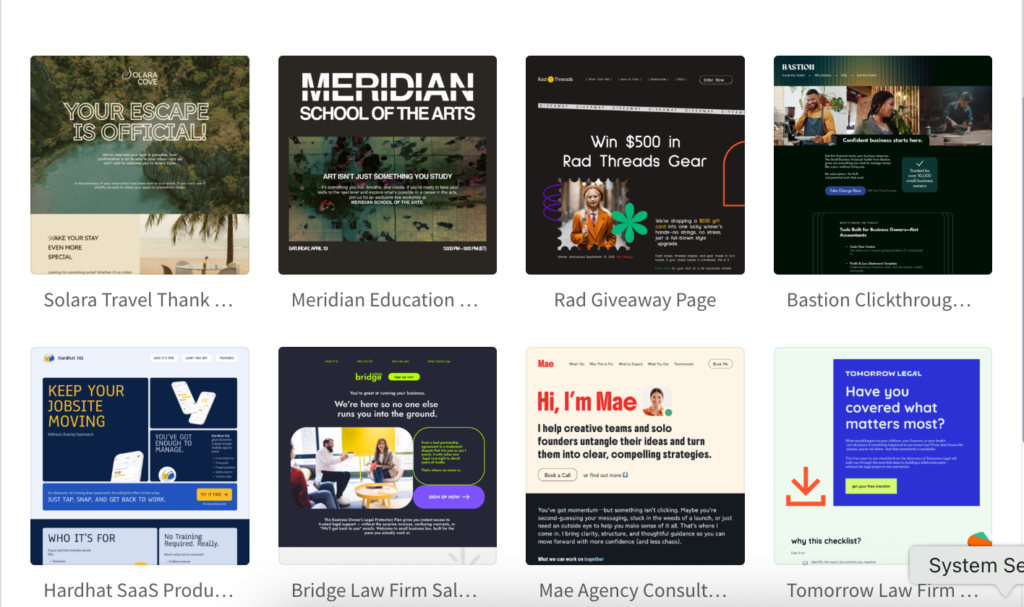
The process begins with selecting a pre-designed template tailored to common goals such as lead generation, product launches, or webinar registrations. These templates are typically structured around proven conversion principles. Alternatively, users can start with a blank layout for full control.
2. Customize Using a Visual Editor
Using a drag-and-drop interface, marketers can edit headlines, images, forms, buttons, and layout sections without writing code. This allows quick iteration and faster campaign deployment, especially when testing different messaging or offers.
3. Publish and Connect Integrations
Once the page is finalized, it can be published on a custom domain or subdomain. Landing page builders also integrate with CRM systems, email marketing platforms, and analytics tools, ensuring that leads are captured and tracked automatically.
4. Test and Optimize for Conversions
After launch, performance data becomes critical. Most landing page builders include A/B testing and analytics features, allowing teams to experiment with headlines, layouts, or calls to action. Continuous testing helps improve conversion rates over time.
In practice, a landing page builder brings design, publishing, tracking, and optimization into one streamlined system, making campaign execution faster and more data-driven.
Landing Page Builder vs Website Builder
A landing page builder and a website builder serve different purposes, even though both help create web pages.
A website builder is designed to create full websites with multiple pages, navigation menus, blogs, service pages, and long-term brand content. It focuses on structure, design flexibility, and content management.
A landing page builder, on the other hand, is built specifically for campaign performance. It creates standalone pages with one clear objective, such as capturing leads or driving signups. The focus is on conversion optimization rather than site structure.
Key Differences
| Feature | Landing Page Builder | Website Builder |
| Purpose | Drive a single action | Build a complete website |
| Navigation | Minimal or none | Full navigation menus |
| Focus | Conversions | Brand presence & content |
| Testing | Built-in A/B testing | Limited or external tools |
| Campaign Speed | Quick launch | Slower setup for campaigns |
When to Use Each
Use a landing page builder when running ads, email campaigns, product launches, or time-sensitive promotions.
Use a website builder when building a long-term online presence with multiple pages and structured content.
Common Mistakes When Using a Landing Page Builder
Landing page builders make it easier to create campaign-focused pages, but the tool alone does not guarantee results. Conversion performance depends on how the page is structured, tested, and aligned with your campaign goals.
Here are common mistakes businesses make, and how they impact performance:
1. Using a Generic Template Without Message Match
A template is only a starting point. If the headline on your landing page does not closely match the ad or email that brought visitors there, conversion rates can drop.
For example, if your ad promotes a “Free 14-Day Trial,” but the landing page headline says “Explore Our Platform,” the disconnect can reduce trust and increase bounce rates.
2. Adding Multiple Competing Calls to Action
Landing pages work best when focused on one goal. Adding secondary links such as “Learn More” or “View Blog” can divide attention and weaken the primary objective.
A page built to collect webinar registrations should not also push visitors toward unrelated product pages.
3. Ignoring Page Speed and Mobile Experience
Slow-loading pages increase drop-offs, especially for paid traffic. Heavy images or poorly optimized layouts can negatively affect performance on mobile devices.
If most of your traffic comes from ads on mobile, even small usability issues can reduce conversions.
4. Skipping A/B Testing
Publishing a page and leaving it unchanged limits growth. Testing variations, such as headlines, form length, or call-to-action text, often reveals measurable improvements.
Landing page builders include testing tools to support ongoing optimization.
5. Failing to Track Conversions Properly
Without a proper analytics and tracking setup, it becomes difficult to measure cost per lead or return on ad spend. Missing tracking pixels or incomplete event setup can lead to inaccurate data.
Avoiding these mistakes helps ensure your landing page builder supports measurable campaign results rather than simply publishing pages.
Key Features of Using a Landing Page Builder
A landing page builder includes a set of tools designed to help businesses create, publish, and optimize high-converting pages efficiently. While features may vary by platform, most modern landing page builders include the following core capabilities:
1. Drag-and-Drop Page Editor
A visual editor allows users to build pages by arranging elements such as text blocks, images, buttons, forms, and sections without writing code. This makes it possible for marketing teams to launch campaigns quickly without relying on developers.
2. Pre-Designed, Conversion-Focused Templates
Most landing page builders offer templates tailored for specific goals, such as lead generation, product launches, webinar registrations, or ecommerce promotions. These templates are structured to reduce distractions and support clear calls to action.
3. Built-In Form Builder
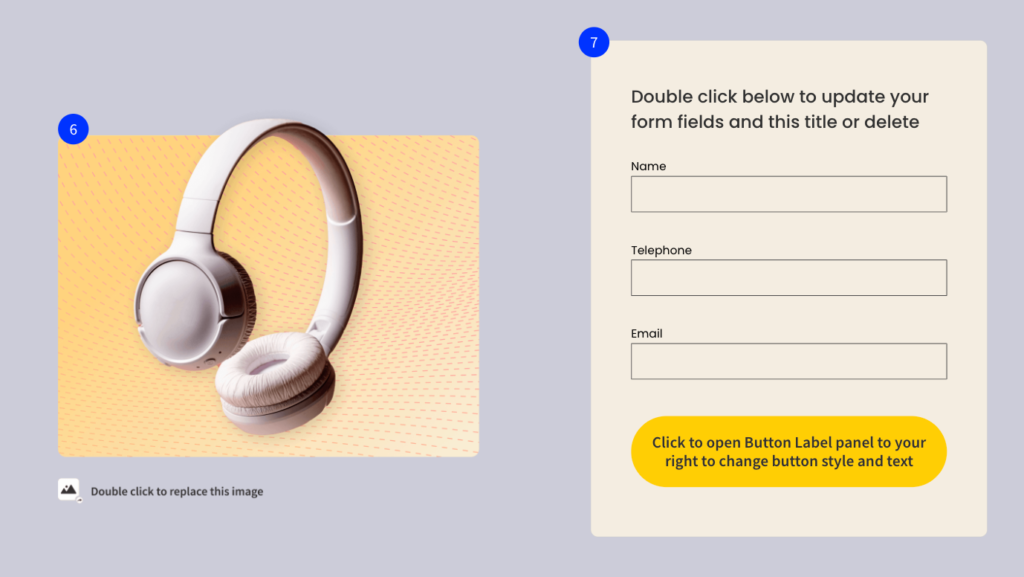
Lead capture forms can be added directly to the page, with options to customize fields, validation rules, and submission behavior. Some builders also allow conditional logic and multi-step forms to improve user experience.
4. A/B Testing Capabilities
Landing page builders often include native A/B testing tools that allow users to create multiple variations of a page. By testing different headlines, layouts, or calls to action, businesses can identify which version drives higher conversions.
5. Analytics and Performance Tracking
Built-in analytics provide insights into metrics such as traffic volume, conversion rate, and user behavior. This data helps teams understand what is working and where improvements are needed.
6. Integration with Marketing Tools
Landing page builders typically integrate with CRM systems, email marketing platforms, advertising tools, and analytics software. This ensures captured leads are automatically stored and followed up through marketing workflows.
7. Mobile Responsiveness
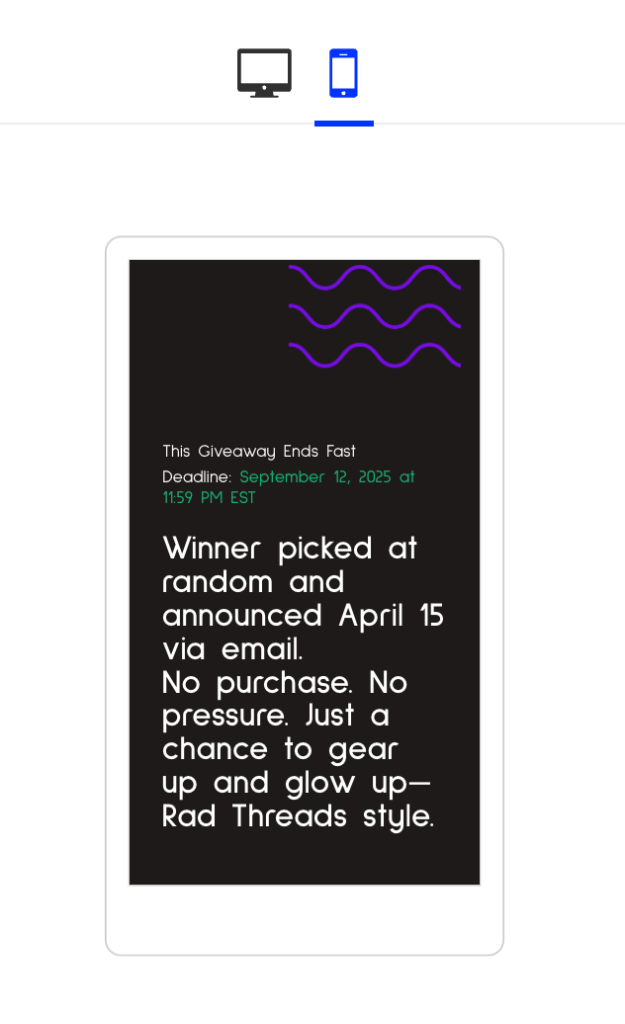
Modern builders automatically optimize pages for different screen sizes. Given that a significant portion of traffic comes from mobile devices, this feature is critical for maintaining performance.
8. Custom Domains and Publishing Options
Users can publish landing pages on custom domains or subdomains, ensuring brand consistency and control over URL structure.
These features work together to help businesses create focused pages, measure performance, and continuously improve campaign results.
How to Choose the Right Landing Page Builder
Choosing the right landing page builder is not just about features. It’s about how well the platform supports your campaign goals, team workflow, and long-term marketing strategy.
1. Define Your Primary Goal
Are you generating leads, selling products, running webinars, or testing new offers? Some builders are optimized for lead generation, while others support ecommerce integrations or advanced personalization. Start by clarifying your main use case.
2. Evaluate Ease of Execution
If campaigns need to go live quickly, the builder should offer an intuitive interface and reusable templates. A tool that slows down publishing will affect campaign momentum, especially in paid advertising.
3. Check Conversion Optimization Capabilities
Look for built-in A/B testing, detailed performance tracking, and flexible form customization. A landing page builder should not just create pages; it should help improve conversion rates over time.
4. Review Integration Ecosystem
Your landing page should connect seamlessly with your CRM, email automation system, analytics tools, and ad platforms. Strong integrations reduce manual work and ensure accurate data flow.
5. Assess Customization vs Structure
Some builders prioritize flexibility, while others prioritize conversion-focused layouts. Choose a platform that gives enough design freedom without sacrificing performance structure.
6. Consider Scalability
If you plan to run multiple campaigns across different audience segments, the builder should allow page duplication, version management, and organized campaign tracking.
7. Analyze Pricing in Context
Instead of focusing only on monthly cost, evaluate what’s included, traffic limits, A/B testing access, integrations, domain support, and analytics features. A cheaper tool without optimization features may cost more in lost conversions.
The right landing page builder should make it easier to launch campaigns, measure performance, and continuously refine results without technical friction.
Frequently Asked Questions?
What is the difference between a landing page and a homepage?
A homepage introduces your brand and provides navigation to multiple sections of your website. A landing page, on the other hand, is built around a single goal, such as generating leads or driving signups, and removes distractions to increase conversions.
Do I need coding skills to use a landing page builder?
No. Most landing page builders offer drag-and-drop editors and pre-designed templates that allow users to create and publish pages without writing code.
Are landing page builders good for SEO?
Landing page builders can support SEO when they offer features like custom meta tags, fast page loading, mobile responsiveness, and clean URL structures. However, landing pages are typically used for campaign traffic rather than long-term organic ranking.
Can I run A/B tests with a landing page builder?
Yes. Many landing page builders include built-in A/B testing tools that allow you to test different headlines, layouts, or calls to action to improve conversion rates.
How many landing pages should I create for a campaign?
It depends on your audience segments and offers. Businesses often create multiple landing pages to test different messaging, targeting strategies, or promotions to identify what performs best.
Can I connect a landing page builder to my CRM or email tool?
Most landing page builders integrate with CRM systems, email marketing platforms, and analytics tools. This ensures leads are automatically captured and routed into your marketing workflows.